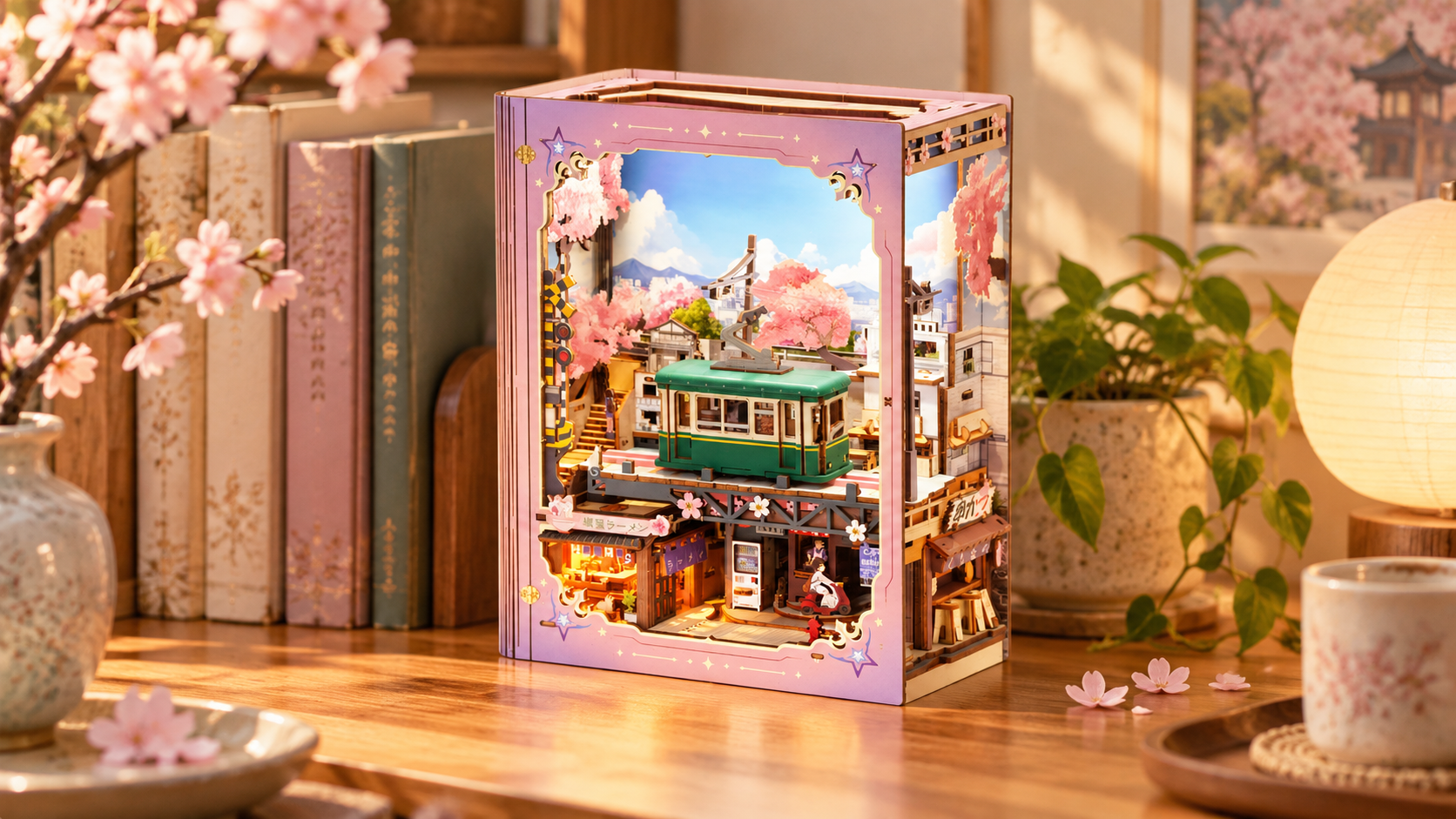
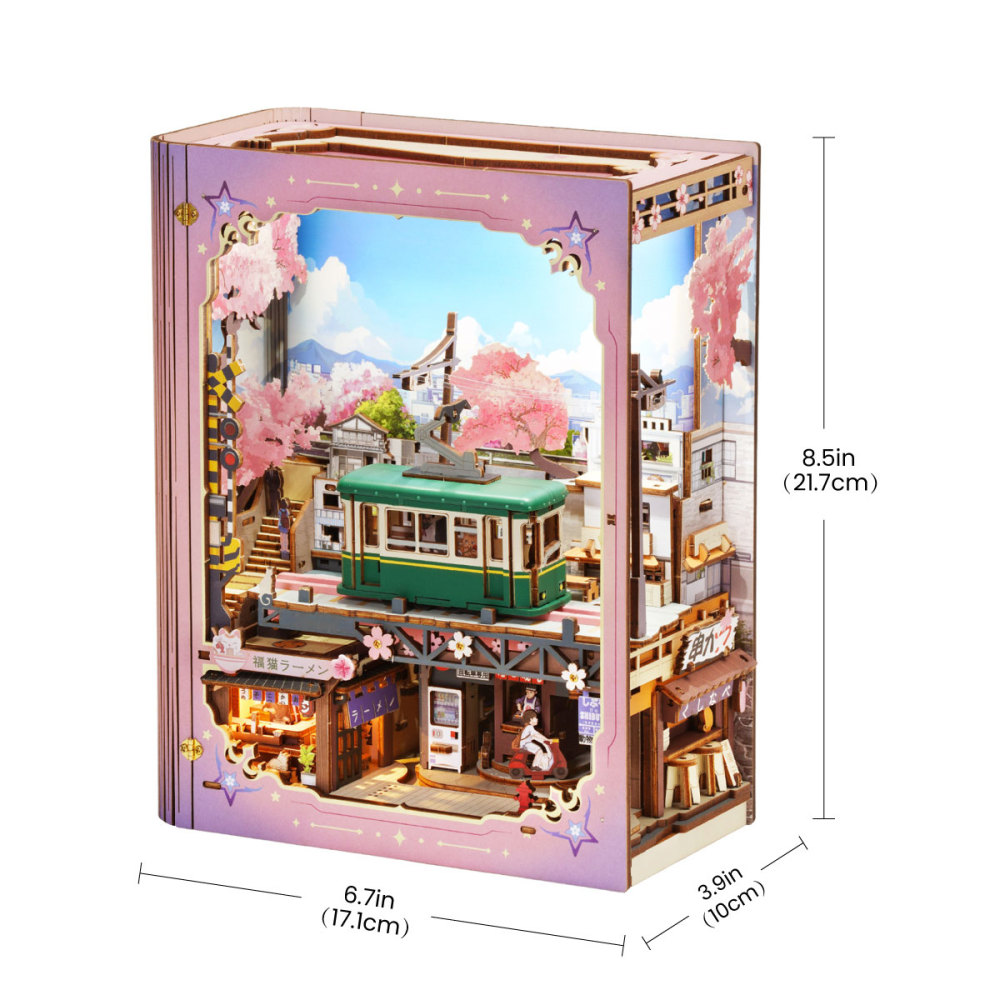
ROKR Strolling in the Sunshine LKS01 combines a book-shaped display with an opening front cover and three motorized movements. Its 339-piece build gives you a model you can close up on a shelf, open out on a desk, and set running with a touch of the switch.
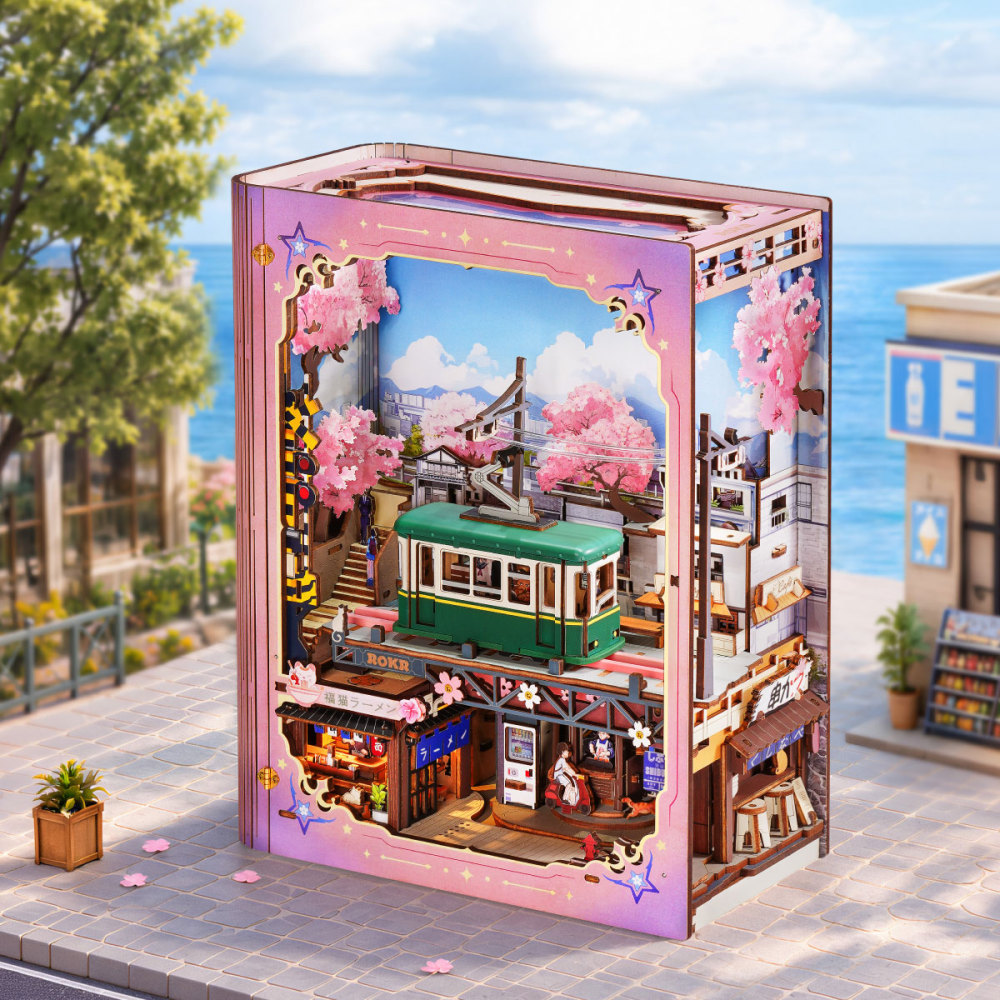
A pink frame surrounds a Japanese street, with a green tram above the shops and cherry blossoms against a mountain backdrop. Transparent panels give you a view into the layered interior from the front and side.
A Place on the Shelf or Within Reach on Your Desk
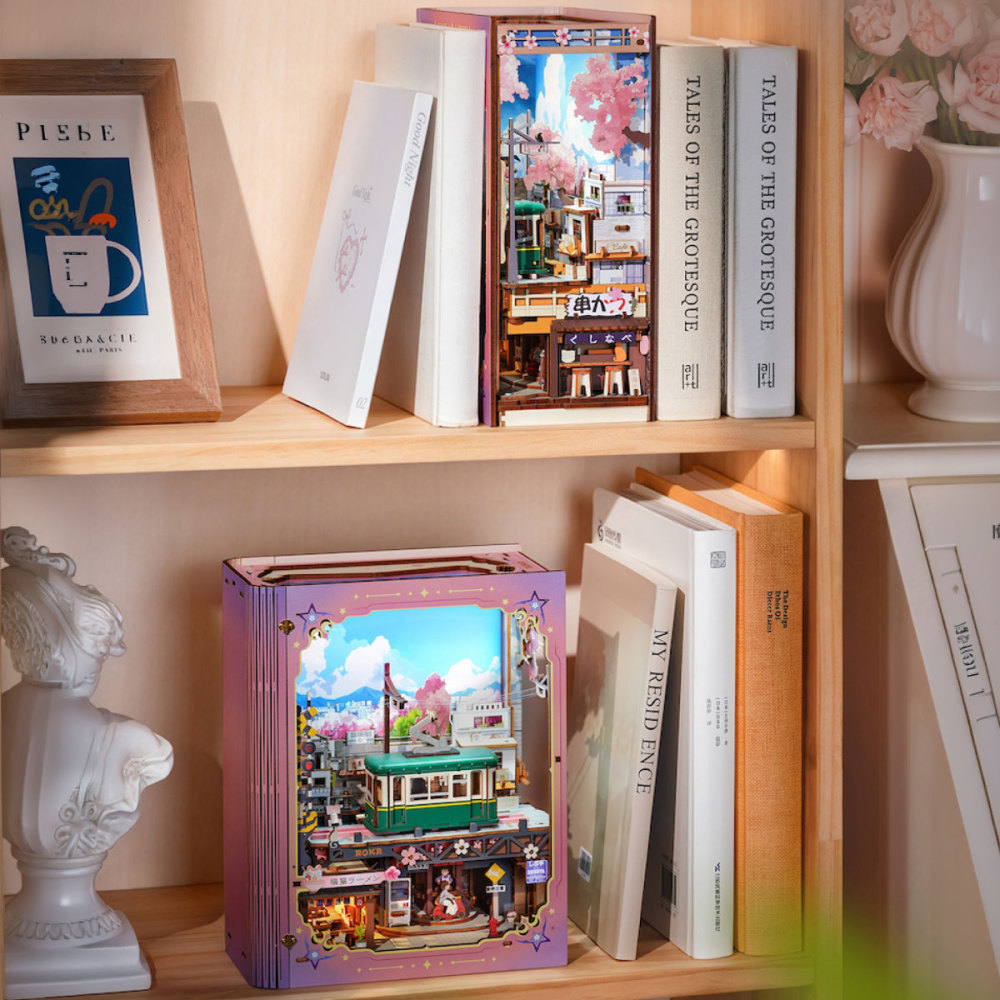
Between Books or Facing the Room
With the cover closed, LKS01 keeps its compact, book-shaped form. Place it between books with the narrow side facing out, or turn the front toward the room for a fuller view of the tram and lower street. The clear cover leaves the interior visible while helping to keep dust out.
On a Desk, with Room to Open
A desk or open tabletop leaves room to swing the cover outward and inspect the lower level. It also keeps the top touch switch within reach. Allow space for the open cover and projecting street section, and choose a spot with access to USB power.
Showing Someone the Finished Build
When you want to show someone the finished build, open the cover for a closer look at the tram, moving figures, and shop arrangement. Then start the powered scene with the touch switch so they can follow each movement.
What Changes When You Open the Cover?
The transparent front cover swings open on a hinge. As it opens, the ramen shop moves into view and a section of the lower street extends outward. That extra space is easy to overlook when choosing a shelf.
| What changes | Cover closed | Cover open |
|---|---|---|
| Physical arrangement | The front cover and lower scene sit within the compact book-shaped format. | The cover swings outward and the ramen-shop section moves into view. |
| Your view | You look through the transparent front and side panels. | You can look directly into the front and inspect the lower scene more closely. |
| Space required | The assembled dimensions are 100 × 171.5 × 217 mm. | Allow additional clear space for the cover and extended street section. |
| Useful placement | A shelf, a space between books, or a compact front-facing display. | A desk or tabletop with room to open the model and demonstrate its functions. |
| Interior exposure | The cover helps shield the scene from dust. | The front of the scene is exposed while you inspect or demonstrate it. |
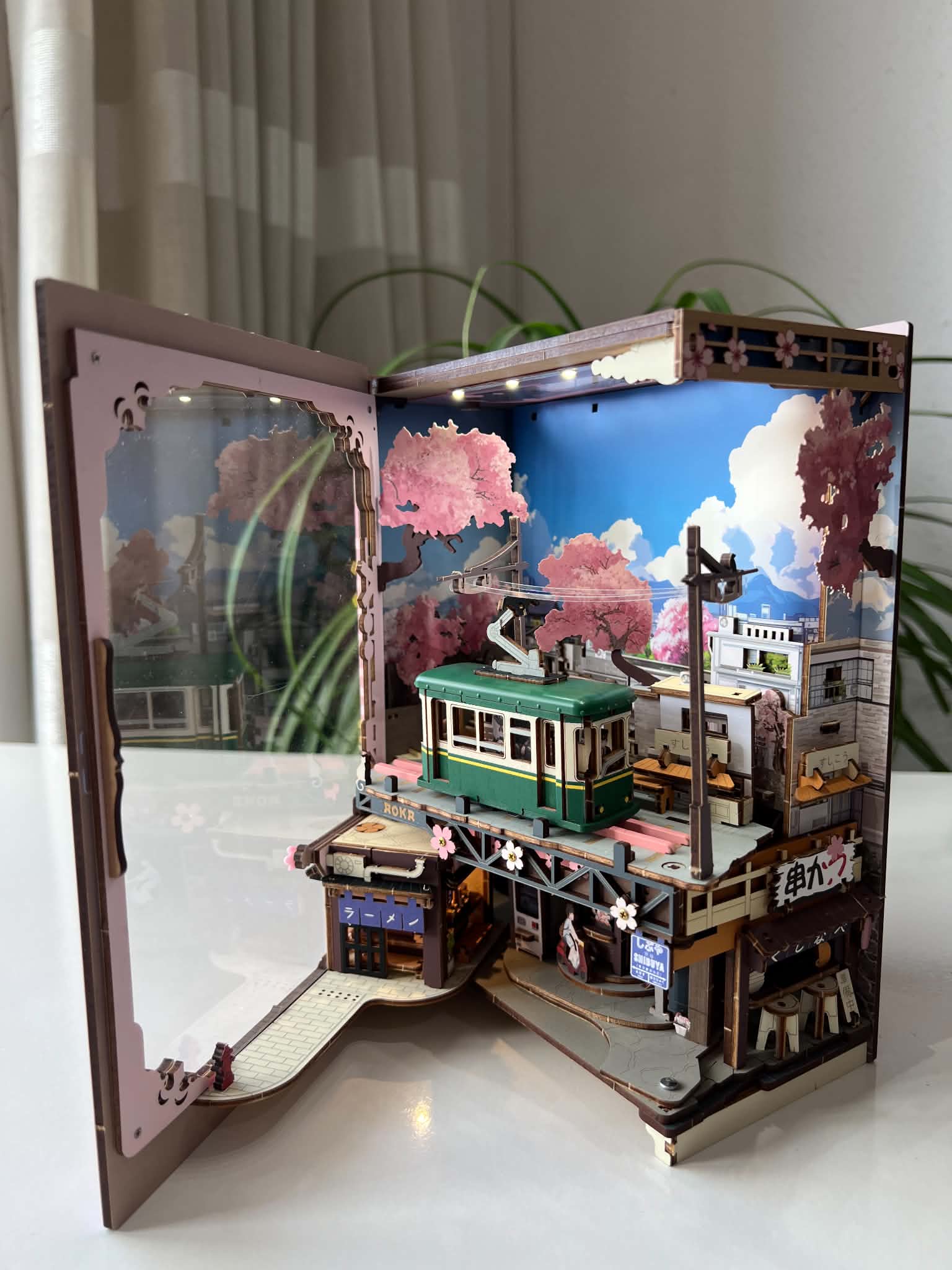
Opening the cover changes the model's layout; the switch on top controls its lights, sound, and powered movement. Press and hold the switch to turn it off.
Three Movements Inside One Model
Watch the model for a moment and you can follow three distinct motions: the tram travels back and forth, the backdrop scrolls, and the figures circle at street level.
The Tram: Back and Forth
The tram runs along its short elevated track, then returns in the opposite direction. Its journey stays within the frame, making the full route easy to follow from the front.
The Backdrop: A Continuous Loop
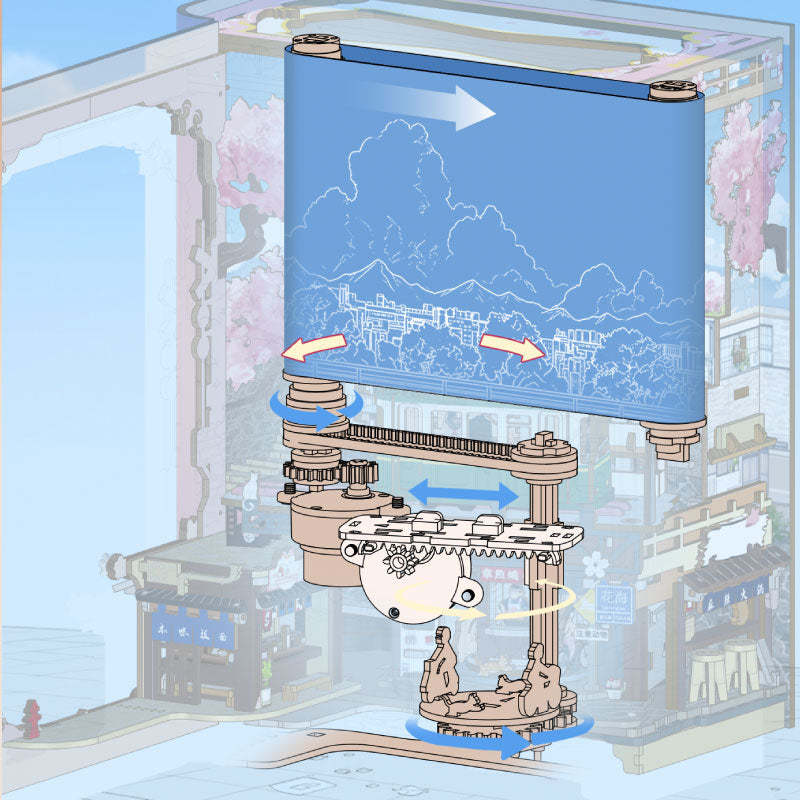
Behind the fixed buildings, the illustrated backdrop runs around rollers. The cutaway below shows that loop and the transmission beneath it: the background itself moves while the street in front stays in place.
The Scooter and Cat: A Circular Route
At the lower level, a boy on a scooter and a following cat travel around a circular route. The cutaway shows their rotating section beneath the tram mechanism. Together, these movements show how several kinds of motion fit inside one compact model.
The ramen shop is linked to the opening cover. This is the movement you create by opening the model; the tram, backdrop, and figures are the movements you activate with the switch.
Controlling the Finished Model
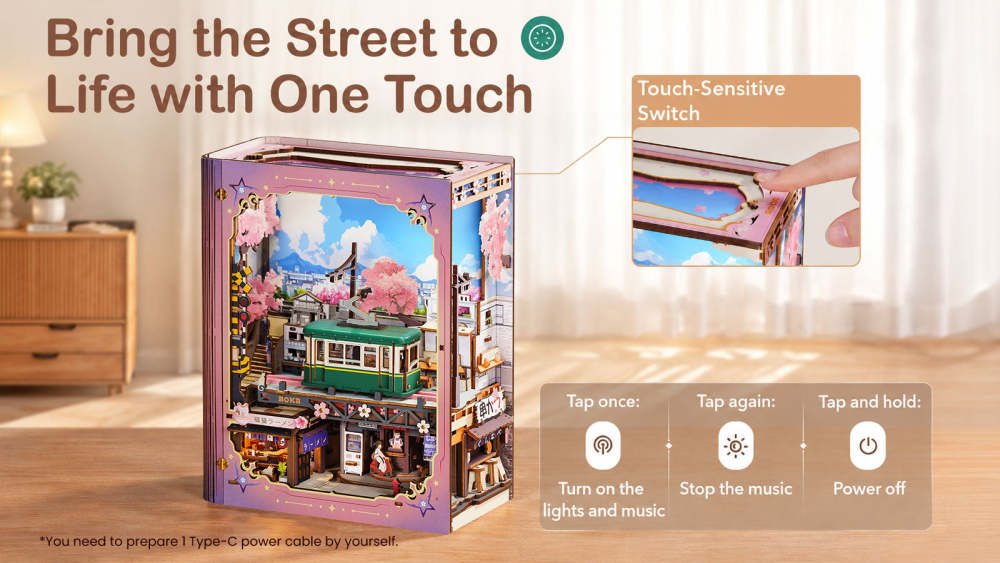
The touch switch sits on top, where it is easy to reach on a desk. The built-in melody is Stardust Rondo, and two lighting zones give the streetscape white light and the ramen shop a warm yellow glow.
- Tap once: start the lights, music, and movement together.
- Tap again: stop the music while the lights and movement continue, useful when you want to watch the model while reading.
- Double-tap: pause the movement while keeping the music and lights on.
- Press and hold: switch the model off.
You will need a USB Type-C power cable, which is not included. Before settling on a display spot, check that the cable can reach your power source and that you can comfortably reach the switch.
Allow Time for the Mechanical Build
LKS01 is rated advanced at 5/6 difficulty, with an estimated eight-hour build time and a recommended age of 14+. You assemble the moving mechanisms as well as the enclosure, so take time to identify parts, follow the sequence, and check the fit as you go.
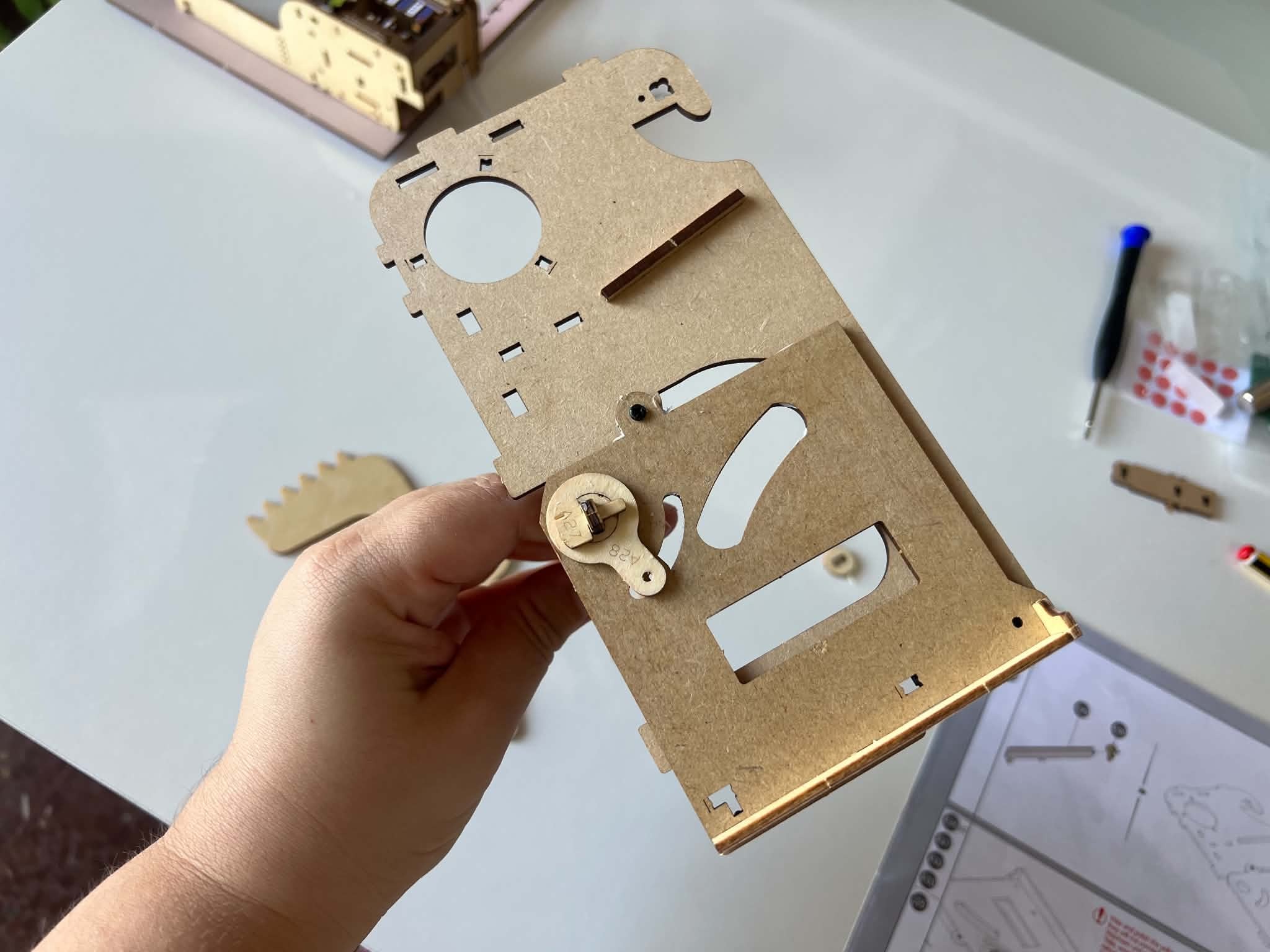
Community builder Sasa's early build log shows the mechanisms before the surrounding scenery went into place. She describes tight fits, time spent sanding and waxing, and a labelled replacement-part bag she initially missed. Check the bags and included notes before starting, and leave room in your schedule for adjustments.
You can read more in Sasa's completed-build post and update on the labelled parts bag. For damaged parts or a step you cannot resolve, use ROKR's part replacement service or contact support.
Check the Fit Before You Choose a Spot
The closed model measures 100 × 171.5 × 217 mm. Use those dimensions to plan its shelf position, then allow extra room for the opening cover. If you expect to use it often, leave enough clearance to open it without shifting books or other objects each time.
| Brand / model | ROKR / LKS01 |
|---|---|
| Pieces | 339 |
| Estimated assembly time | About 8 hours; individual build times vary |
| Difficulty / age | Advanced, 5/6 / Ages 14+ |
| Assembled size | 100 × 171.5 × 217 mm |
| Power | USB Type-C connection; cable not included |
| Powered movements | Tram travel, scrolling backdrop, and circular scooter-and-cat movement |
| Opening interaction | Hinged front cover brings the ramen shop into view |
| Sound / lighting | Stardust Rondo / White streetscape light and warm yellow ramen-shop light |
A shelf suits the compact, closed display; a desk or tabletop leaves room for regular interaction. Watch the official demonstration to see the opening action and powered movements, or visit the LKS01 product page for the full details.