A finished mechanical model usually becomes one small machine on a shelf. Add another beside it and you have a collection, but you may still need to start and control each piece separately. What changes when the models are designed to respond together?
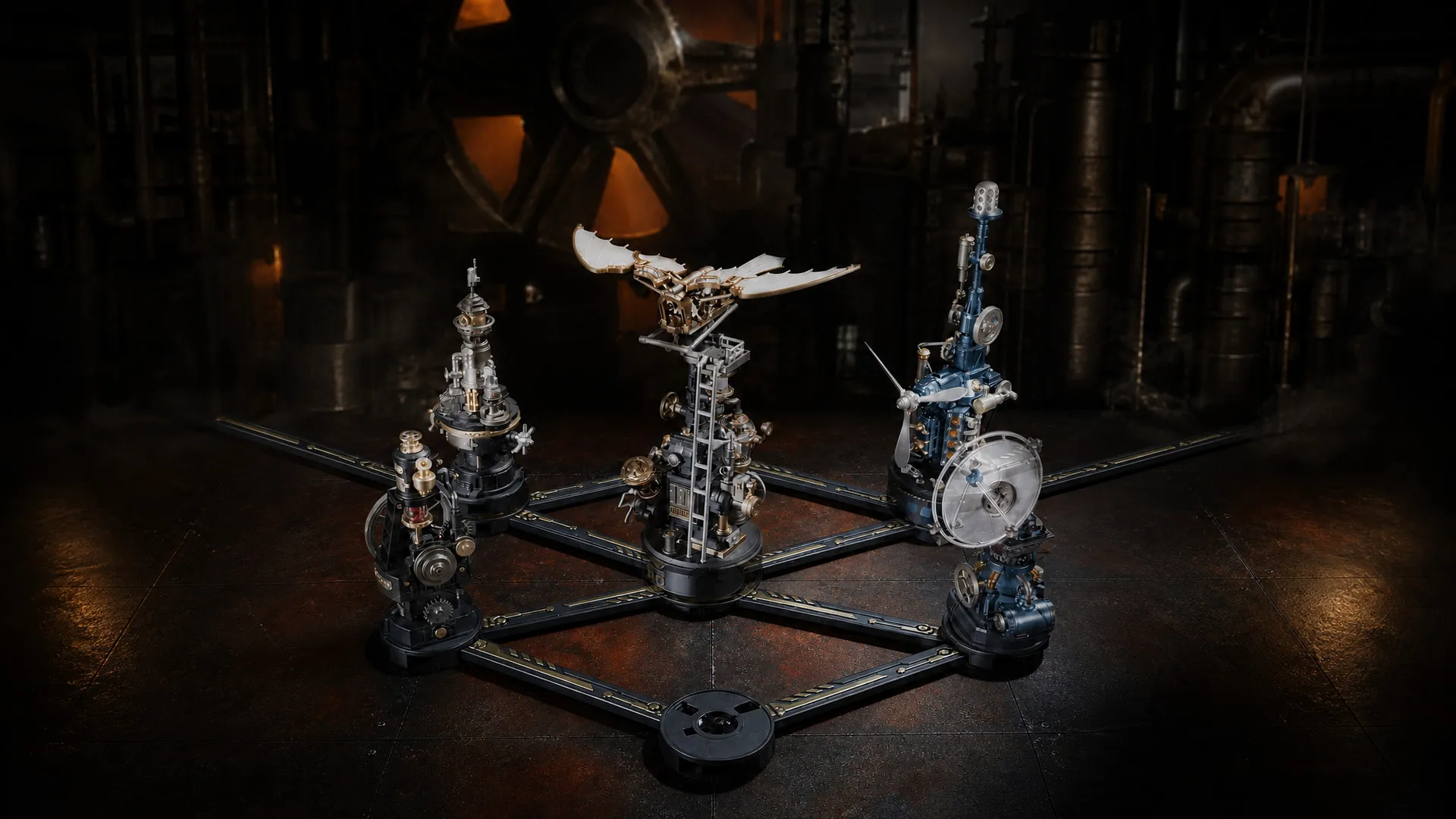
ROKR MECHMIX is a family of mechanical model kits that can operate individually or join a coordinated display. Compatible units use 2.4GHz wireless communication for synchronization, while an optional electrical connector system provides a shared power arrangement. Their moving parts remain inside their own machines. Understanding that distinction makes it much easier to plan a collection that grows.

What Makes a Mechanical Model Modular?
Standalone Models vs. Modular Models
A standalone model contains a complete mechanism and works as an individual machine. A modular model can also be complete on its own, while its compatible interfaces let it participate in a larger system. For MECHMIX, that means arranging separate stations and coordinating their operation.
| What changes? | Standalone model | Modular model system |
|---|---|---|
| Operation | Runs independently | Compatible units can respond together |
| One finished kit | A complete individual display | A complete display and a possible starting module |
| Expansion | Its own display size is fixed | Add compatible stations over time |
| What you observe | One machine's mechanism | Different mechanisms operating within one scene |
Why Modular Design Changes the Experience
You can begin with one mechanism, change the arrangement as your collection grows, and use coordinated control when you want the whole scene active. Modularity does not promise compatibility with every ROKR product or let you rearrange a kit's internal gears at will. It describes the supported connections between finished models.
It also does not describe a single material. Air Radar, for example, is listed as ABS plastic in ROKR's product article. “Mechanical model kits” is the useful family description; check materials on each individual kit.
How Do ROKR MECHMIX Models Connect?
Wireless Synchronization Between Models
ROKR's official MECHMIX introduction identifies built-in 2.4GHz connectivity in Thermo Engine CGM03, Air Radar CGM04, Ornithopter CGL02, and Beacon Tower CGL04. Separately powered compatible stations can synchronize their activation. Each still needs an electrical supply; the radio connection carries control information.
ROKR's published wireless control graphic describes automatic connection when activated. That allows coordinated operation without electrical rails between the models, provided each unit has its own appropriate power connection. Keep the exact model instructions beside you when setting up the group, rather than assuming it pairs like a Bluetooth speaker or needs a phone app.
Connecting Models With the Power Hub
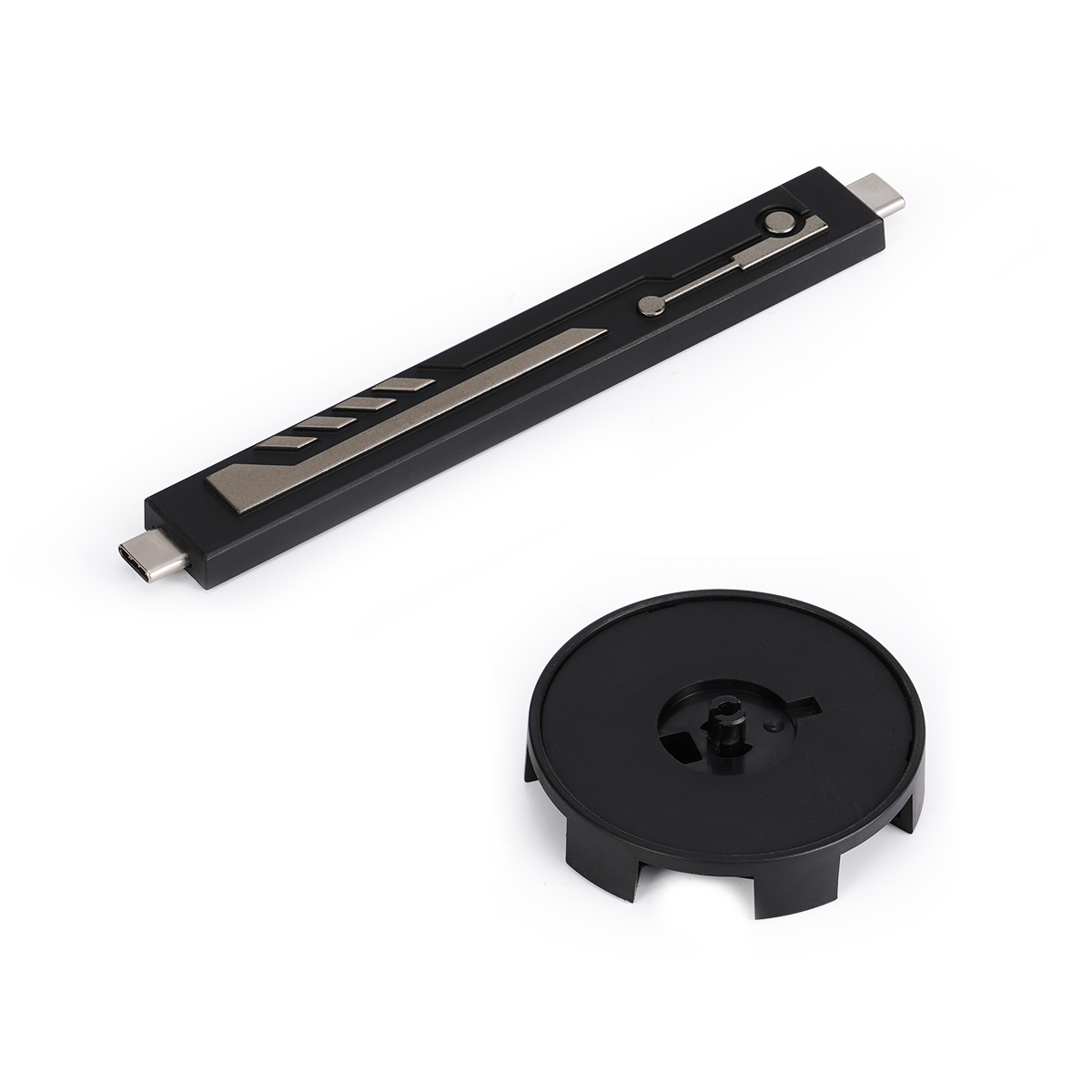
For a shared power layout, ROKR offers the Industrial City Electric Connector CG0X. Official feature diagrams show a round power base and a connector rail with Type-C ends. The announced six-way hub can connect and control up to six models. The accessory retains the Industrial City name, which also appears in earlier series material; MECHMIX is the current collection name.
The CG0X page says the connectors are sold separately and that their quantity should match the number of products being connected. Plan the accessories alongside the machines. Use the supplied connection guide for port placement, electrical connections, and the power supply required by your complete arrangement.
| Arrangement | Power path | Coordinated operation |
|---|---|---|
| Wireless layout | Individual Type-C supply → each model | Compatible powered stations exchange 2.4GHz control signals |
| Connector layout | Specified supply → power base → electrical connectors → models | The supported hub arrangement brings multiple stations under coordinated control |
The table shows the roles of power and control, rather than a port-by-port wiring plan. The six-model figure applies to the published hub; it is not a stated maximum for every possible wireless arrangement.

Synchronized Control Is Not Shared Mechanical Motion
Synchronization brings different mechanisms into action together. It does not establish a continuous gear train running from one station to another. Thermo Engine's piston and flywheel belong to its own electrically driven mechanism; it does not physically drive the Radar or Ornithopter through a shared shaft. Its engine styling represents the industrial scene, rather than generating steam or supplying mechanical power to the other machines.
The official CGM03, CGL02, and CGL04 manuals show the same basic short-touch sequence:
- First touch: lights and motor on.
- Second touch: lights remain on and the motor stops.
- Third touch: power off.
Their multi-model sections describe units controlling one another through received and transmitted signals. Check your model's interconnection instructions before applying a gesture to the group. A long press is shown for single-model control in ROKR's published wireless example, but gesture details should be checked against your own version.
What Happens When Different MECHMIX Models Run Together?
The interest comes from seeing different forms of motion at once. A turning flywheel reads differently from flapping wings or two rotors moving in opposite directions. Coordinated activation brings those actions into one desktop scene without requiring a separate start for every participating station.
| Model | What to watch |
|---|---|
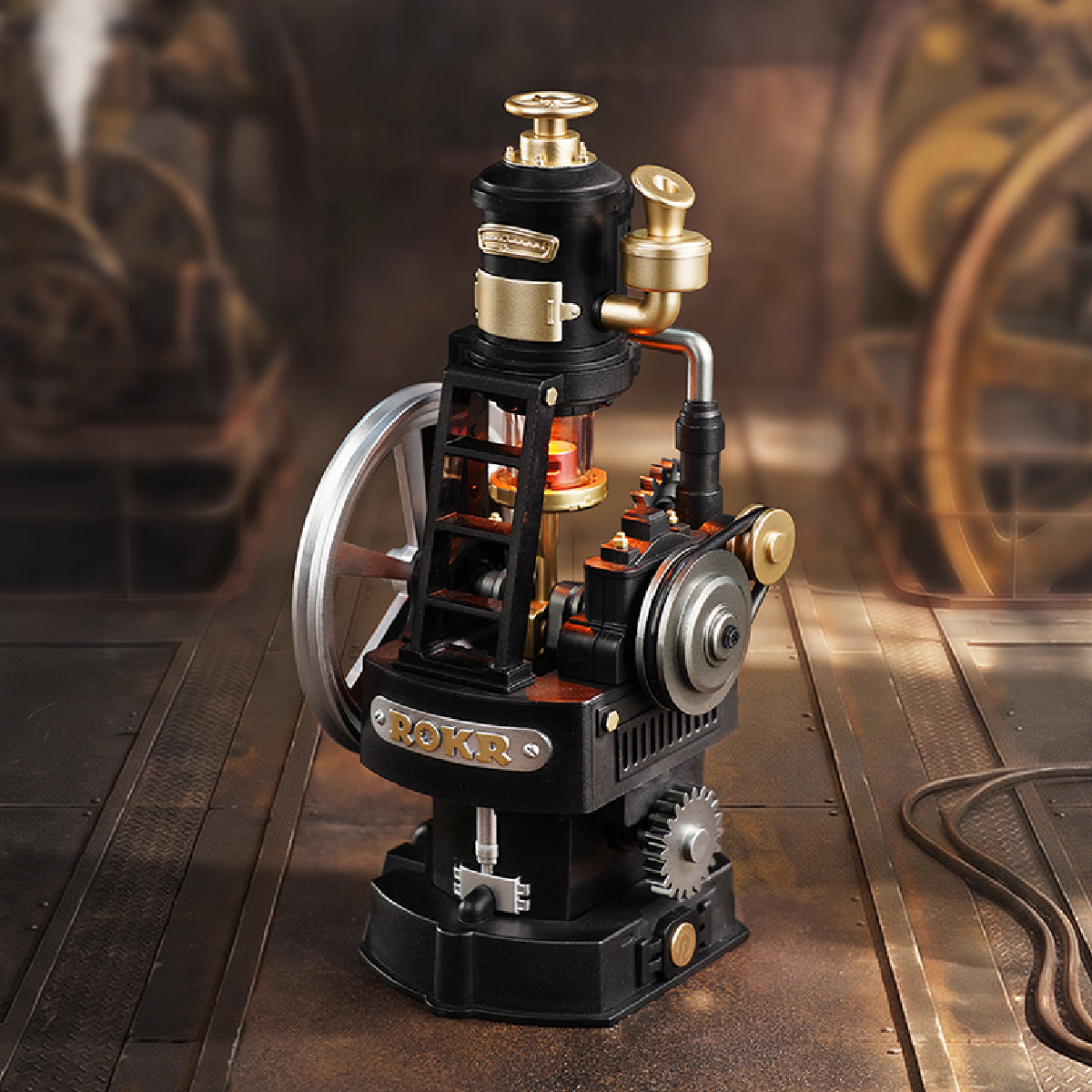
| Thermo Engine CGM03 | A moving piston, flywheel, pulley and belt, with an illuminated cylinder |
| Air Radar CGM04 | An adjustable dish, rotating mechanism, and illuminated transmission-pipe details |
| Leonardo da Vinci's Ornithopter CGL02 | Flapping wings, a twin-piston mechanism, and a glowing chamber |
| Beacon Tower CGL04 | Counter-rotating elements and lighting at several heights |
These movements express inventions through model mechanisms. The Radar is not a working radio-detection instrument, and the Ornithopter remains a display model rather than a flying aircraft. Starting together also does not mean every gear turns at the same speed or every light follows an identical pattern.
How to Build Your MECHMIX Collection Step by Step
Start With One Model
Choose the mechanism you want to watch. Thermo Engine offers a compact piston-and-flywheel display; Air Radar focuses on a moving dish and signal-inspired lighting. Build and test that first model independently so you understand its power connection and controls before adding another.
Add a Second Model
A documented pair is Thermo Engine CGM03 with Beacon Tower CGL04: the Beacon Tower manual illustrates them together in its multi-model section. Before buying the second station, confirm compatibility and your preferred power arrangement. For a physical connector setup, include the required accessory sets and enough space for both bases and their moving parts.
Expand Into a Multi-Machine Display
Plan sightlines as well as connections. Taller Ornithopter or Beacon Tower models can sit toward the rear, with the shorter Engine and Radar forward, provided all moving parts have clearance. This is a display suggestion, not an electrical connection plan. Follow the hub's instructions when expanding the powered layout, and keep every control accessible.
What Should You Check Before Connecting More Models?
- Exact model compatibility: Confirm the model and version support the MECHMIX connection system you intend to use.
- Power arrangement: Choose separate supplies for the wireless layout or the specified connector-and-base setup.
- Accessory quantity: Count the connector sets required for your participating models; do not assume they come in each kit.
- Electrical requirements: Read the model and hub guidance separately. A single model's rating is not the total power requirement of a full display.
- Clearance and testing: Leave room for wings, rotors and other moving parts, then follow the official synchronization and test procedure.
The CGM03, CGL02, and CGL04 manuals specify a 5V/1A input for individual Type-C operation. That does not establish the supply needed for six machines on a hub. Find the correct model guide through the official Robotime assembly library, and check the connection accessory's own instructions before powering a larger arrangement.
FAQs About ROKR MECHMIX
Can ROKR MECHMIX models work independently?
Yes. A compatible station can be powered and operated by itself. Adding other units expands the display and enables coordinated operation.
Do I need a connector to make MECHMIX models work together?
The documented wireless arrangement uses separately powered models. A shared power-base arrangement requires the appropriate electrical connectors. Choose the arrangement first, then check its accessory requirements.
How many MECHMIX models can be connected?
ROKR's announced six-way hub supports up to six models. That hub limit should not be treated as the absolute limit of the wireless system.
Can I connect MECHMIX to other ROKR mechanical models?
Only where official information confirms compatibility. The ROKR name or a similar power socket alone does not establish that two kits can synchronize.
Can I expand my MECHMIX collection later?
Yes. Start with one station and add compatible models over time, checking power, connector quantities, and display space with each addition.
Bring the Machines Into One Coordinated Display
MECHMIX models can be enjoyed individually, while their supported connections let several distinct mechanisms become one interactive scene. Choose a station, understand how it runs, and plan each addition around compatibility, power, and control. Explore the ROKR MECHMIX collection to decide which mechanism belongs in your next stage.